Strategies for Creating Engaging and Efficient Android Apps
Android remains the most widely used mobile operating system in the world. For developers and businesses, this creates a massive opportunity to reach a global audience. However, building high-performing and engaging Android app requires the right combination of development tools, frameworks, and programming languages.
This guide explores the most effective Android app development tools that help teams create scalable, user-friendly, and performance-driven mobile applications.
Android Studio: The Official Development Environment
Why Android Studio Matters
Android Studio is Google’s official Integrated Development Environment (IDE) for Android app development. It provides everything developers need in one place, from coding to testing and debugging.
Key Features
- Smart code completion for faster development
- Advanced emulator for testing on multiple devices
- Strong debugging and performance profiling tools
- Direct integration with the latest Android SDK updates
Because it is Google’s official tool, Android Studio receives updates first and ensures full compatibility with the Android ecosystem. It remains the foundation of most Android projects.
Kotlin: The Modern Language for Android
How Kotlin Changed Android Development
Kotlin has replaced Java as the preferred programming language for Android. It reduces boilerplate code and improves safety, making development faster and more efficient.
Main Advantages
- Cleaner and shorter syntax
- Built-in safety features that reduce crashes
- Full compatibility with existing Java code
- Higher developer productivity
Unlike Java, Kotlin is easier to learn and allows developers to write less code while achieving better results.
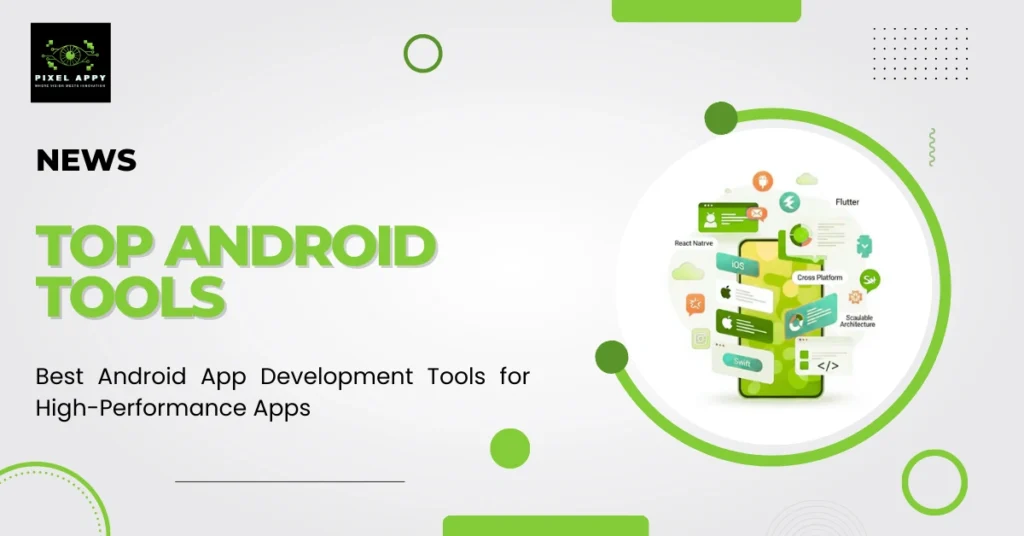
Cross-Platform Frameworks for Faster Development
Flutter
Flutter, developed by Google, is an open-source framework used to build apps for Android, iOS, web, and desktop from a single codebase.
Why Developers Choose Flutter
- One codebase for multiple platforms
- Fast development with hot reload
- Native-like performance
- Visually rich and consistent UI
Flutter is ideal for startups looking to launch quickly without building separate apps for each platform.
React Native
React Native allows developers to build mobile apps using JavaScript and React principles. It supports cross-platform development while maintaining a strong user experience.
Key Benefits
- Large developer community
- Code reuse between web and mobile
- Over-the-air updates
- Efficient multi-device performance
It is widely used for projects that require quick iteration and cost-effective development.
Xamarin: Microsoft’s Cross-Platform Solution
Xamarin, backed by Microsoft, allows developers to build Android, iOS, and Windows apps using C# and .NET.
Core Advantages
- Shared code across platforms
- Strong integration with Microsoft tools
- Access to base libraries for file handling and system operations
- Support for multiple operating systems
It works well for enterprises already using the Microsoft ecosystem.
Get a Complete List of Android App Development Tools for Your Next Project.
Unity: Ideal for Game Development
Unity is a powerful tool primarily used for 2D and 3D game development. It supports high-quality graphics and immersive user experiences.
What Makes Unity Unique
- Visual scripting options for non-coders
- Deployment to multiple platforms
- Advanced graphics engine
- Ideal for gaming and interactive apps
Unity is often the first choice for developers building gaming apps or visually intensive applications.
Firebase: Backend Made Simple
Firebase is Google’s backend-as-a-service platform that simplifies server-side development. It helps developers focus more on user experience rather than infrastructure management.
Essential Features
- Real-time database
- Cloud Firestore
- Authentication services
- Cloud storage
- Secure hosting
Firebase supports rapid development, scalability, and cost efficiency, especially for startups and growing apps.
Ionic: Web-Based App Development
Ionic is an open-source framework for building cross-platform and progressive web apps using web technologies like HTML, CSS, and JavaScript.
Why Choose Ionic
- Mobile-optimized UI components
- Cross-platform compatibility
- Support for web and native apps
- Touch-friendly gestures and fast compilation
It is suitable for teams with strong web development backgrounds.
Support Libraries That Improve Development
Beyond frameworks and IDEs, libraries like Retrofit and Room play a critical role.
- Retrofit simplifies network communication.
- Room improves data storage and database handling.
These tools reduce complexity and help developers build reliable applications more efficiently.
Choosing the Right Combination of Tools
Selecting the right Android development stack depends on your project goals, budget, and team expertise.
Consider the following:
- Project complexity
- Need for cross-platform support
- Required performance level
- Budget constraints
- Developer skill set
A well-balanced stack ensures scalability, strong performance, and long-term maintainability.
Conclusion
Android development offers a wide range of powerful tools for building exceptional mobile apps. Android Studio remains the core development environment. Kotlin enhances productivity with modern syntax and safety features. Flutter and React Native enable cross-platform efficiency, while Firebase simplifies backend operations.
By carefully selecting the right tools based on your project needs, you can build scalable, user-friendly, and competitive Android applications that succeed in today’s mobile ecosystem.
Get a Custom Android App Development Plan With the Right Tools for Your Project.




User Retention Hacks 2026: Reduce App Churn & Boost Engagement
[…] notifications can increase app downloads and encourage users to return frequently, supporting overall engagement and […]".